Fit for Performance and Design: A Modern Guide to “Fit” in Health, Work, and Digital Systems
Fit isn’t one thing—it’s the right match for body, space, and systems.
Understanding “Fit”: More Than Fitness
The word fit is used in many contexts—fitness goals, clothing sizes, device compatibility, even the “right fit” for a role. Yet the common thread is the same: fit describes how well two things work together. In a modern professional life, fit matters in at least three areas: how your body performs in daily work, how well your environment supports that performance, and how effectively your tools and systems align with your workflow.
This article provides a practical, professional framework for thinking about fit. You’ll learn how to assess what’s working, identify mismatch, and make sustainable improvements—without chasing extremes or relying on quick fixes.
Fit in Health: Building Performance That Lasts
In the health context, fit typically refers to physical readiness—strength, endurance, mobility, and recovery capacity. But long-term performance depends less on short-term intensity and more on the right progression, consistent habits, and recovery.
What “good fit” looks like physically
When your training and daily movement fit your body and lifestyle, you tend to experience:
- Manageable challenge during workouts (you work hard, but you don’t break down).
- Recovery consistency (sleep and rest meaningfully restore you).
- Progress over time (strength, stamina, or mobility improve across weeks and months).
- Low friction in daily movement (less stiffness, fewer recurring pain patterns).
How to assess whether your routine fits
Use a simple checklist rather than guesswork:
- Intensity match: Are you training at a level you can repeat safely?
- Frequency match: Do you allow enough sessions to create adaptation without overuse?
- Movement quality: Do you maintain technique under effort?
- Recovery signals: Are you feeling better between sessions, not just “surviving” them?
- Life integration: Can you keep the routine going despite work, travel, and family demands?
Common fit mismatches
Fit problems usually show up as repeat patterns. Examples include:
- Overtraining by urgency: training hard because you “need results fast,” not because the plan matches your capacity.
- Undertraining recovery: sleep, nutrition, and stress management ignored while workload climbs.
- Technique drift: chasing weight or pace at the cost of stable form.
- Single-track programming: focusing only on one attribute (e.g., cardio speed) while ignoring mobility or strength balance.
Fit in Ergonomics: Matching Your Body to Your Space
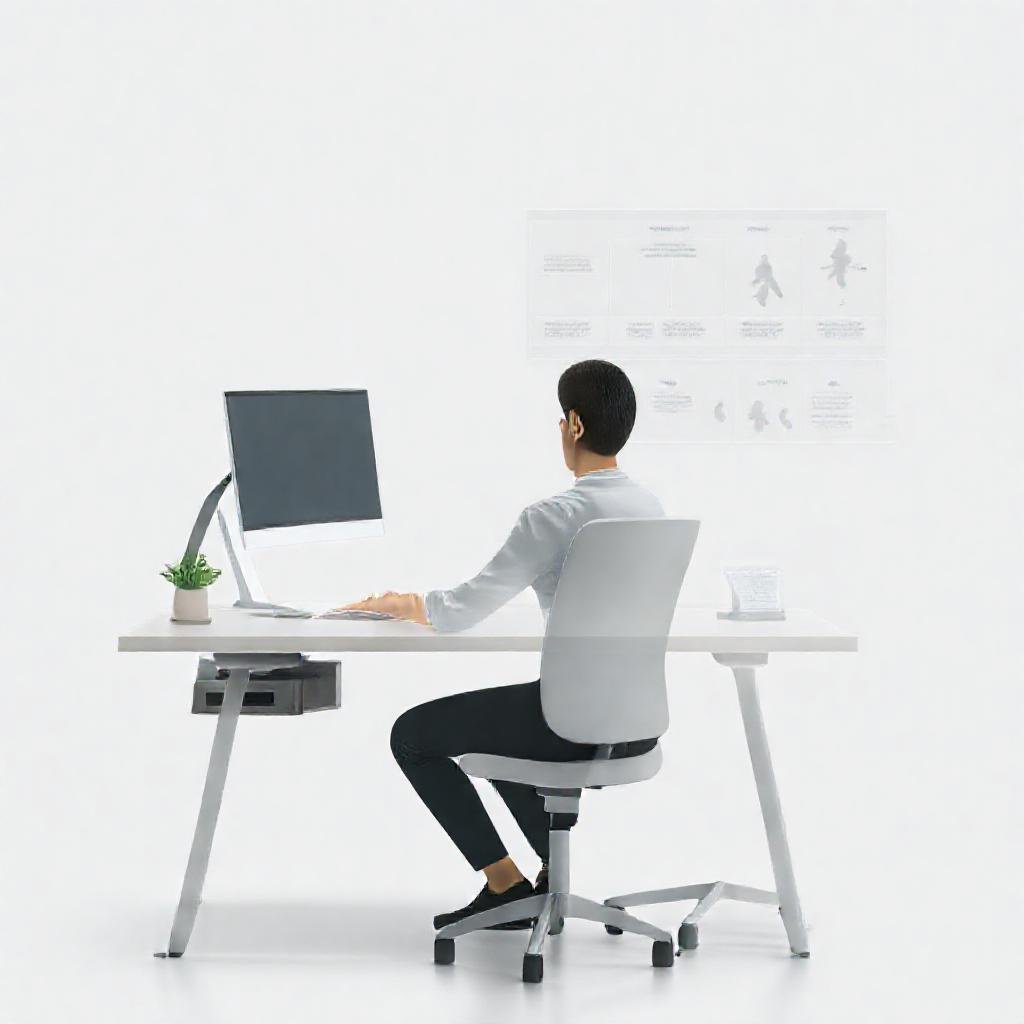
Fit isn’t only about exercise. For most professionals, the biggest “fit” factor is the environment—especially desk setup, computer use, and repetitive tasks. If your workstation and habits don’t match your body, micro-imbalances can accumulate quietly and later become chronic discomfort.
Ergonomic fit essentials
Rather than aiming for a “perfect” setup, aim for stable, repeatable positioning. Consider these practical elements:
- Chair support: supports your lower back and allows you to sit with a neutral spine.
- Desk height: lets your forearms rest comfortably without shrugging.
- Monitor placement: reduces neck strain by keeping the screen near eye level.
- Keyboard and mouse reach: prevents shoulder tension and elbow overextension.
- Lighting and glare control: minimizes squinting and eye fatigue.
- Movement breaks: scheduled changes in posture keep muscles from staying “stuck.”
The “fit test” for daily comfort
Do a quick evaluation during a typical work block. Ask:
- After 30–60 minutes, do you feel comfort that’s consistent or discomfort that steadily increases?
- Do you frequently adjust posture because something feels “off”?
- Do you experience recurring tension in the neck, shoulders, wrists, or lower back?
If your answers trend negative, your workspace may be poorly matched to how you work.
Fit in Workflows and Productivity: The Right Match for Your Systems
Modern work is increasingly tool-driven: project management platforms, communication apps, documents, cloud storage, analytics dashboards, and security requirements. Fit here means compatibility between your tasks and the systems that support them. When fit is missing, you spend time searching, reformatting, re-entering data, and recovering from errors.
Signs your tools and workflow don’t “fit”
- Context switching costs: you constantly move between apps to complete simple tasks.
- Manual duplication: the same information must be entered in multiple places.
- Inconsistent file structures: colleagues cannot find documents without guidance.
- Unclear ownership: it’s hard to determine who approves decisions or updates records.
- Security friction: access rules slow down legitimate work more than necessary.
Creating workflow fit with a practical method
Use a “fit mapping” approach:
- List core tasks: choose 5–10 recurring activities (e.g., onboarding, reporting, approvals).
- Trace the data path: identify where information originates, where it moves, and where it gets stored.
- Identify friction points: note delays, rework, and points where mistakes tend to occur.
- Standardize inputs and outputs: define templates, naming rules, and required fields.
- Align permissions with intent: ensure people have the access they need—no more, no less.
- Review and iterate: improve one workflow at a time to avoid tool sprawl.
For deeper perspective on how innovation is shaping security and workflows, explore Technology in 2026: How Innovation Shapes Security, Workflows, and Society.
Fit in Technology Compatibility: Hardware, Software, and Human Readiness
Digital “fit” includes the match between technology and the people using it. Even if tools are powerful, they must fit the user’s skills, constraints, and operating context—especially in teams where training time is limited.
Assessing tech fit for real usage
Before adopting new technology, evaluate:
- Learning curve: can users reach competence without weeks of training?
- Integration needs: does it connect cleanly to existing systems?
- Reliability under stress: how it performs during high-demand periods.
- Support model: can you get help quickly when issues arise?
- Security posture: whether permissions and data handling align with your governance.
Human fit: training and adoption
Technology adoption often fails when teams focus only on features. Strong fit requires a readiness plan:
- Role-based onboarding: train people on what they actually do.
- Micro-practices: short exercises using real tasks (not hypothetical demos).
- Feedback loops: collect pain points early and adjust workflows accordingly.
- Documentation that matches the job: quick references and examples beat long manuals.
Fit in Space and Design: How Environments Support Performance
Buildings, interiors, and public spaces also depend on fit. A well-designed environment doesn’t just look good; it supports circulation, focus, safety, and cultural meaning. When design aligns with the way people move and interact, it reduces friction and enhances long-term usability.
This concept appears in multiple domains—from traditional architectural heritage to modern digital preservation strategies. If you’re interested in how power, design choices, and preservation intersect, see Sultanate Architecture: Masterpieces of Power, Design, and Digital Preservation.
Design fit principles you can apply today
- Function-first planning: design supports the primary tasks and movement patterns.
- Accessibility and wayfinding: people can navigate without confusion or stress.
- Material and maintenance match: materials are suitable for climate and long-term upkeep.
- Context sensitivity: the environment reflects culture, identity, and local constraints.
Achieving Fit Sustainably: A Step-by-Step Improvement Plan
Whether your goal is better health performance, less workplace discomfort, or smoother digital workflows, sustainable fit improvements follow the same logic: measure, adjust, repeat.
Step 1: Define what “fit” means for you
Ambiguous goals lead to mismatched efforts. Write a clear definition in one sentence, for example:
- “Fit means I can work 2–3 hours without neck and shoulder tension increasing.”
- “Fit means my weekly training improves strength without recurring knee pain.”
- “Fit means my team can complete a reporting cycle with fewer handoffs and fewer errors.”
Step 2: Choose observable indicators
Pick indicators you can track without overcomplicating:
- Physical indicators: pain frequency, range of motion, perceived exertion, recovery quality.
- Ergonomic indicators: discomfort timing, posture changes, break frequency.
- Workflow indicators: time-to-complete, rework count, search time, approval delays.
- Adoption indicators: task completion success rate, support tickets, user satisfaction.
Step 3: Make one change at a time
Fit is delicate—multiple changes at once make it impossible to know what worked. Choose a single lever per iteration:
- Adjust chair/monitor height before buying new software.
- Refine one workflow step before rolling out a new platform.
- Increase one training variable (frequency, volume, or intensity) rather than all three together.
Step 4: Allow adaptation time
Adaptation requires time. For health and ergonomics, your body and habits may take weeks to stabilize. For workflows and technology, teams need days to weeks to form reliable patterns. Avoid judging too early—judge consistently.
Building a Culture of Fit in Organizations
In teams, fit is not only individual—it’s organizational. When companies treat fit as a design principle, they improve employee wellbeing, reduce operational friction, and strengthen security posture.
Practical ways to embed fit
- Policy that supports real work: align approvals and security rules with how tasks actually happen.
- Standard operating rhythms: predictable meeting cadences, document conventions, and handoff protocols.
- Feedback-driven improvement: quarterly review of workflow bottlenecks and adoption barriers.
- Training that respects time: focused role-based education rather than broad, generic materials.
If you want a broader lens on leadership and cultural significance—especially how legacy and meaning shape organizational direction—read Sultan Khan: Legacy, Leadership, and Cultural Significance.
Common Questions About “Fit” (FAQ)
Is fit the same as fitness?
No. Fitness is a specific health-related term. Fit is broader and describes the alignment between needs and solutions—your body and training, your space and posture, or your tasks and technology.
How do I know if my workout plan fits me?
You’ll typically see sustainable progress, consistent recovery, and less recurring discomfort. If you experience persistent pain, worsening recovery, or you can’t repeat the routine with stability, the plan likely doesn’t fit your current capacity.
What’s the fastest way to improve ergonomic fit?
Start with monitor height, chair support, and keyboard/mouse reach. Then add scheduled micro-breaks. Small adjustments often reduce strain quickly when applied correctly.
How does fit relate to cybersecurity and technology?
Fit affects how effectively security practices align with daily work. Tools and access controls should protect data without creating unnecessary friction that leads to workarounds. Good workflow fit supports both usability and governance.
Conclusion: Make Fit Your Guiding Principle
“Fit” is a unifying concept across health, ergonomics, design, and digital systems. When you treat fit as a deliberate alignment—rather than a vague ideal—you can reduce friction, improve performance, and build routines that last.
Start by defining what fit means for your situation. Then assess with observable indicators, adjust one lever at a time, and allow time for adaptation. Whether you’re training for strength, refining your workstation, or redesigning workflow tools, the goal stays the same: the right match between your needs and the systems around you.