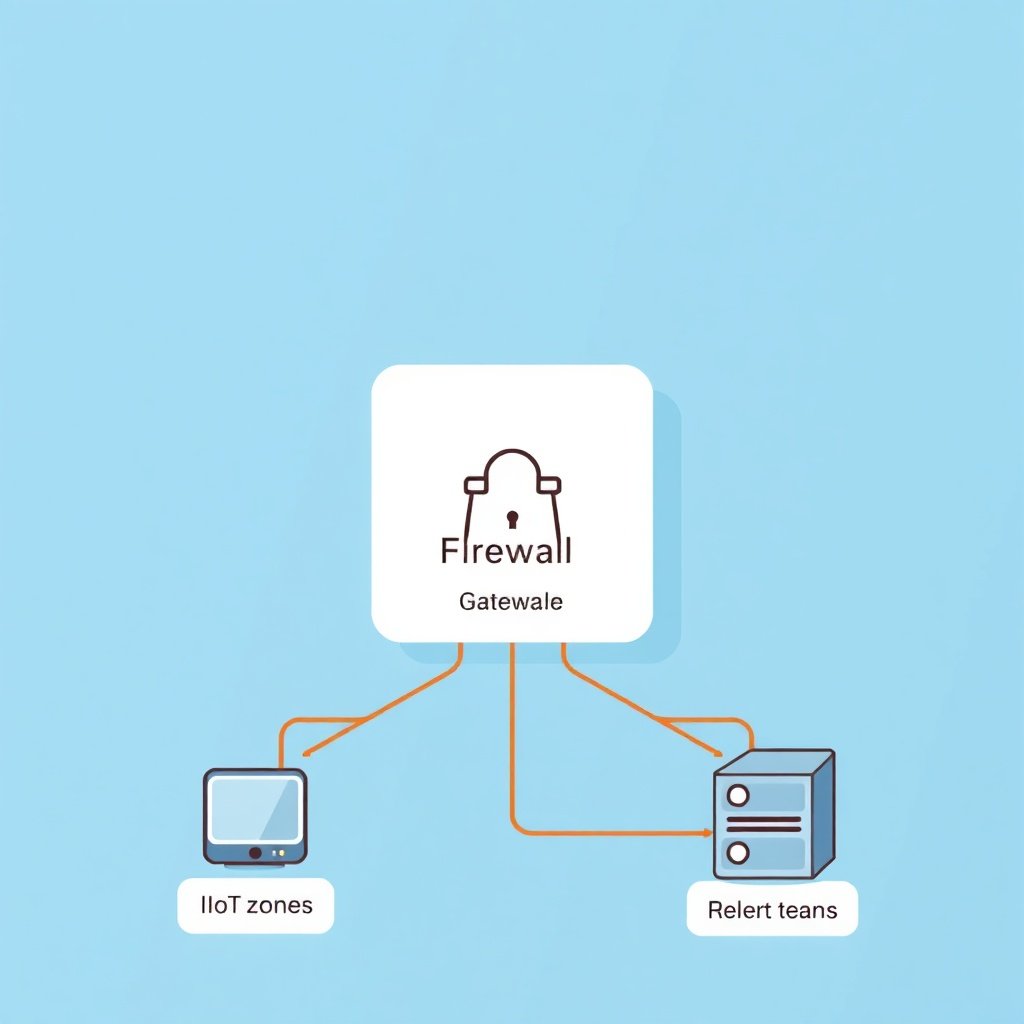
What Is the Best Firewall Software for Homelabs? Top Picks for Safer Networks
Lock down your homelab with firewall software built for real-world control.
If you run services at home—NAS access, reverse proxies, game servers, lab VMs, or even “just” remote admin—network security becomes a practical requirement, not a theoretical one. In this guide, we’ll answer what is the best firewall software for homelabs? by comparing popular solutions, explaining how they fit common homelab setups, and outlining a selection framework you can apply to your own environment.
What Is the Best Firewall Software for Homelabs? Start With Your Homelab Model
The phrase what is the best firewall software for homelabs? doesn’t have one universal answer, because “best” depends on how you deploy your network. Before you compare products, decide which homelab pattern you’re closest to:
- Single LAN, limited segmentation: You mainly want outbound control, inbound filtering, and basic isolation.
- Segmentation-heavy homelab: You need VLANs, multiple trust zones, and strict east/west rules.
- Virtualization and overlays: You run containers/VMs with NAT, bridged networks, or SDN overlays.
- Remote access and reverse proxy exposure: You publish services and want tight ingress control.
Once you map your needs to a model, the “best firewall software” usually becomes the one that integrates with your router, supports your addressing scheme, and is maintainable by your own operations.
Core Firewall Capabilities Homelab Users Should Require
No matter which vendor you choose, you’ll want a firewall that covers the tasks you’ll actually do. Focus on these capabilities:
- Stateful packet inspection: For reliable connection tracking and sensible default rules.
- Config clarity and change control: Prefer readable rule sets, good documentation, and safe rollback workflows.
- VLAN/subnet support: Essential if you separate IoT, user devices, servers, and lab networks.
- DNS filtering and egress control (optional but valuable): Helps reduce malware “phone home” risks.
- Logging and alerting: You should be able to see what was blocked and why.
- Port-forwarding and reverse-proxy compatibility: Many homelabs rely on an ingress layer; your firewall must cooperate.
If a product can’t meet your minimum feature set, it doesn’t matter how polished the interface is.
Top Homelab Firewall Software Options (With Pros and Tradeoffs)
Below are widely used choices. “Best” depends on whether you want an appliance-like experience, deep flexibility, or strong integration with containers and virtualization.
1) OPNsense (Open Platform for Network Security)
OPNsense is a popular homelab firewall appliance built around a web UI and a strong plugin ecosystem. It’s known for a clean management experience while still supporting advanced routing and segmentation.
- Best for: Homelabs that want a balance of usability and power.
- Strengths: Flexible firewall rules, VLAN support, strong logging, and multiple security packages.
- Tradeoffs: You’ll spend more time learning rules and integrations than you would with a simpler router UI.
2) pfSense (Plus Its Plugin Ecosystem)
pfSense is one of the most established options for home network firewalls and lab deployments. Like OPNsense, it offers stateful firewalling, a structured rule editor, and robust visibility into traffic.
- Best for: Users who value maturity, widespread community knowledge, and proven configurations.
- Strengths: Mature ecosystem, extensive documentation, and reliable operation in real-world networks.
- Tradeoffs: Some advanced setups require deeper networking knowledge (especially with multi-interface designs).
3) Sophos XG Firewall (Home/Lab-Friendly Deployment Considerations)
Sophos XG can be a strong security-oriented platform if you want a more guided, enterprise-style policy approach. However, availability and licensing details can be environment-specific.
- Best for: Homelabs that want security tooling depth and centralized policy concepts.
- Strengths: Security focus, policy controls, and an enterprise-like approach.
- Tradeoffs: You may find the learning curve different from appliance-style open-source firewalls.
4) VyOS (Powerful Routing and Policy for Advanced Users)
VyOS is a network OS designed for flexibility and routing features. It’s often chosen by homelab operators who prefer structured configuration and advanced network design.
- Best for: Advanced homelabs with custom routing, multiple WANs, tunnels, or sophisticated policy routing.
- Strengths: Strong routing flexibility and a configuration style many engineers prefer.
- Tradeoffs: Requires comfort with command-line configuration and deliberate change management.
5) Linux-Based Firewalls (iptables/nftables/UFW for Specialized Setups)
If you like minimalism and want a firewall integrated directly into a Linux host or gateway VM, you can use nftables, iptables, or simpler layers like UFW. This route is common for labs that already run Linux as a router or gateway.
- Best for: Homelabs where you already operate Linux and want maximum control.
- Strengths: Unlimited flexibility, easy automation, and straightforward integration with scripts.
- Tradeoffs: You’re responsible for maintainable rule design, logging practices, and safe configuration workflows.
How to Choose the Right Firewall Software for Your Homelab
To decide what is the best firewall software for homelabs? for your environment, use a scorecard that matches how you operate. Ask:
1) Where will the firewall run?
- Dedicated appliance: often easiest for stability and separation of duties.
- Virtual machine (VM): great for test labs, but ensure you understand NIC bridging and performance considerations.
- Linux gateway host: flexible, but you’ll need disciplined configuration management.
2) How many network zones do you need?
If you plan to isolate IoT, guest, management, storage, and lab networks, prioritize VLAN and multi-interface rules. If you only need basic control, you can choose based on usability and monitoring.
3) Do you publish services externally?
If you expose apps via a reverse proxy or direct port forwards, look for:
- Clear ingress rules and NAT configuration
- Reliable logging so you can trace blocked traffic
- Options for rate limiting and “only allow what you must” access patterns
4) Can you maintain it over time?
Firewalls are not set-and-forget in a homelab. You’ll add devices, adjust networks, and update rules. Choose software you can:
- Back up easily
- Review and audit changes
- Update safely without breaking connectivity
If you’re also planning a broader security and operations approach across your homelab, consider reviewing general security and workflow upgrade themes in NewsAtDoor.com Guide to 2026 Tech Updates: AI, Security, and Smarter Workflows.
Recommended Homelab Firewall Setups (Practical Patterns)
Instead of “install X and hope,” use proven architectural patterns. Here are a few that translate well across platforms.
Pattern A: VLAN Segmentation + Default-Deny East/West
Create VLANs for at least:
- Trusted LAN (workstations and admin devices)
- Servers (NAS, apps, management interfaces)
- IoT/Guests (limited outbound, minimal inbound)
Then adopt a rule philosophy of default deny between zones, adding explicit allow rules only for required services. This pattern is often where the value of stateful firewalls and good rule editors becomes obvious.
Pattern B: “DMZ” for Published Services
If you host externally reachable services (even if it’s a single web app), place those targets in a DMZ-like network segment. Your firewall should:
- Allow inbound only to the reverse proxy or ingress layer
- Block direct access to internal services
- Log denied requests so you can tune rules later
Pattern C: Centralized Logging for Troubleshooting
Homelabs move fast—new containers, new ports, new VLANs. Centralize logs so that when something fails, you don’t guess. A good firewall software choice will make logs readable and exportable, and it will keep blocked traffic visible without drowning you in noise.
Common Mistakes When Implementing a Homelab Firewall
Even experienced homelab operators run into predictable issues. Avoid these:
- Over-permissive “temporary” rules: Temporary exceptions tend to become permanent.
- No rollback plan: Always back up configuration before major changes.
- Unclear zone naming: Confusing rules are the #1 cause of accidental exposure.
- Ignoring IPv6: If you enable IPv6, ensure your firewall policy covers it consistently.
- Not testing from the right vantage point: Validate from client networks, not just from the firewall host.
What About “Next-Gen” Security Features?
Some platforms bundle extras like intrusion prevention, advanced URL filtering, or integrated threat feeds. Those features can help, but the real win usually comes from fundamentals: segmentation, least privilege, and good logging.
Think of your firewall as the enforcement layer, while other tooling can add visibility or content filtering. If your homelab roadmap includes streamlined operations, automation, and consistent change processes, you may also like SimplifyDiggs Com: A Professional Guide to Streamlining Tech Workflows.
So, What Is the Best Firewall Software for Homelabs? A Practical Conclusion
When you ask what is the best firewall software for homelabs?, the most accurate answer is: the best solution is the one that matches your network design and stays maintainable. For many homelab operators, OPNsense and pfSense are top contenders because they combine stateful firewalling, VLAN/multi-zone support, and a clear management workflow. If you want deeper routing flexibility and are comfortable with configuration-style management, VyOS can be an excellent fit. If you already run Linux as a gateway, nftables/iptables can deliver full control with the right operational discipline. The “winning” choice is the one you can securely update, audit, and adapt as your lab grows.
FAQ: Best Firewall Software for Homelabs
Do I need a firewall if I already have a consumer router?
Consumer routers often provide basic NAT and limited filtering, but they usually fall short on advanced segmentation, granular rules, and visibility. A dedicated homelab firewall helps you implement least-privilege access and better logging.
Should I run my firewall on bare metal or a VM?
Bare metal can be simpler and more stable, while a VM can be ideal for experimentation. If you run a VM, ensure your network bridging and NIC setup are correct and that you understand failover and backup procedures.
Is VLAN segmentation enough to secure a homelab?
VLAN segmentation is a major step, but it isn’t complete security by itself. You still need firewall rules that enforce what each zone can and cannot access, plus logging and a process for updating configurations.
What’s more important: a friendly UI or deep control?
Control is essential, but an overly complex system you can’t manage will lead to mistakes. Choose a platform where you can consistently express your intent—then document and review changes regularly.
How do I start without breaking remote access?
Begin with a small ruleset, test locally, and allow management access from your trusted network first. Plan a maintenance window, keep a backup, and validate connectivity from the exact client networks you rely on.